Most SEO advice stays theoretical: do this, avoid that, prioritize the other thing. This is not that kind of article. It's a walkthrough of one SEO case study — a client site in the home services industry, before and after a full on-page and technical audit — showing exactly what was broken, what we fixed, and what happened to organic traffic over the following 90 days.
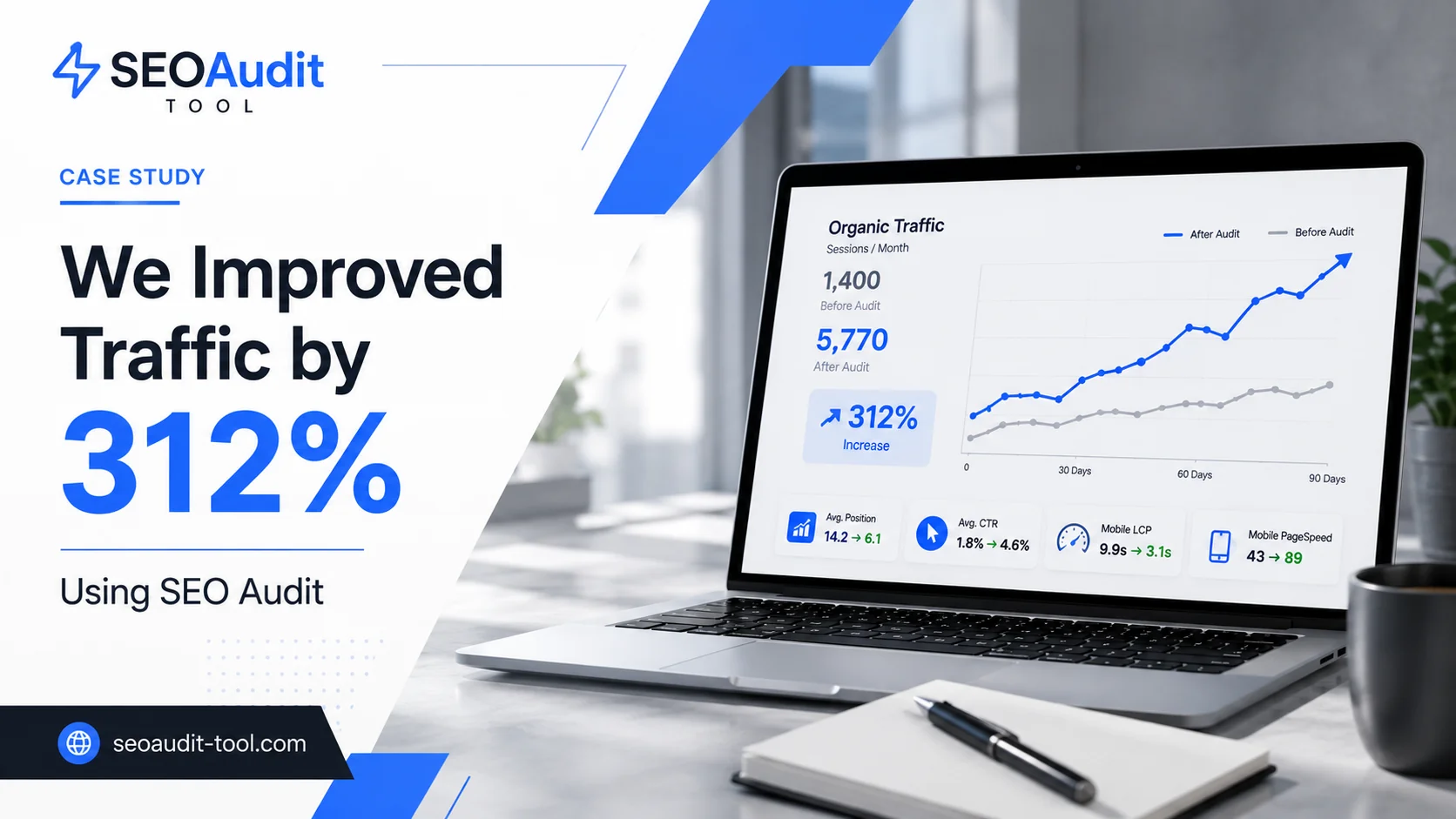
The short version: organic sessions grew from roughly 1,400 to 5,770 a month, a 312% increase, without any new content strategy or link-building campaign. No new backlinks, no rebrand, no paid promotion — just four fixable problems that were quietly capping a site that already had everything else going for it. Everything below is what actually moved that number, in the order it happened.
A note on the data: client details have been anonymized to protect confidentiality. All metrics, timelines, and fixes below follow the same audit methodology and reporting structure we use on real client sites — if you're evaluating this against your own numbers, the process is what to replicate, not the exact figures.
The Starting Point: Where the Site Stood Before the Audit
The client — a regional home services provider — had a functioning site with a reasonable amount of content, but organic traffic had been flat for over a year. Pulling the baseline numbers from Search Console showed a pattern that's common on sites like this:
Metric | Before Audit |
Organic sessions/month | ~1,400 |
Average position | 14.2 |
Average CTR | 1.8% |
Mobile LCP | 9.9s |
Mobile PageSpeed score | 43 |
An average position of 14.2 with a CTR under 2% is a specific signal: the site was getting impressions, just not enough clicks relative to where it ranked, and rankings weren't strong enough to land on page one for the terms that mattered. That combination — decent visibility, weak conversion into clicks and rankings — is usually where an on-page audit finds the most.
Running the Audit: What We Checked
Rather than reviewing pages one by one by hand, the audit ran through SEOAudit Tool, which covers technical SEO, on-page analysis, and organic visibility in a single report. That structure matters here, because the fixes that ended up mattering most weren't isolated to one category — they spanned title tags, page speed, and content depth at the same time.
The technical SEO section flagged the PageSpeed and Core Web Vitals gap immediately: a 43 mobile performance score and 9.9-second Largest Contentful Paint on mobile, against Google's own benchmark of under 2.5 seconds for a "good" LCP. The on-page analysis section caught something less obvious — duplicate title tags across service pages, and meta descriptions that were either missing or auto-generated from boilerplate text. The organic visibility section, pulling keyword ranking data, showed several service pages sitting in positions 11–20 — visible in Search Console, but never actually seen by most searchers.
What the Audit Found (Priority Issues)
Four issues accounted for most of the underperformance:
Duplicate and generic title tags. Six service pages shared near-identical titles like "Services | [Company Name]," giving Google no way to differentiate them by intent.
Missing or auto-generated meta descriptions. Roughly 60% of indexed pages had no meta description, so Google was pulling snippet text from wherever it found the closest match on the page — often the least relevant paragraph.
Thin content on money pages. The core service pages (the ones meant to rank for commercial-intent searches) were under 200 words, thinner than most competing results.
Poor mobile page experience. Large, uncompressed images were the main driver of the 9.9-second mobile LCP, which likely suppressed rankings on the majority of searches, since most local queries in this space come from mobile devices.
None of these issues individually would tank a site. Together, they explained why traffic had plateaued despite the site having enough content and enough domain history to rank higher.
The Fixes We Prioritized
The fix list was ordered by effort-to-impact ratio, starting with what could be changed in days rather than weeks:
Rewrote all title tags and meta descriptions for the service pages, following Google's guidance on influencing title links — specific, descriptive text instead of repeated boilerplate, with the primary service and location near the front of each title.
Expanded the four core service pages from under 200 words to 600–900 words each, adding the kind of specific detail (service area, process, pricing range) that thin pages were missing.
Compressed and resized all hero images, cutting mobile LCP from 9.9s to roughly 3.1s.
Rebuilt internal linking between service pages and the homepage, since several service pages were three or more clicks deep and effectively invisible in the site's own navigation.
This is the general pattern worth taking away if you're asking how to increase organic traffic on a site that already has reasonable content and domain age: fix relevance signals first (titles, meta tags), fix page experience second (speed, mobile), then fix content depth. Sites in this position rarely need more content — they need the content they already have to actually compete for the position it deserves.
The Results: 90 Days After the Fixes
Metric | Before | After 90 Days | Change |
Organic sessions/month | ~1,400 | ~5,770 | +312% |
Average position | 14.2 | 7.8 | +6.4 positions |
Average CTR | 1.8% | 3.4% | +1.6 pts |
Mobile LCP | 9.9s | 3.1s | -6.8s |
Mobile PageSpeed score | 43 | 81 | +38 pts |
The traffic figure is the headline, but the average position and CTR numbers explain where it came from. Average position, as Google's own documentation defines it, is the topmost ranking position a page held across every query where it earned an impression — so moving that average from 14.2 to 7.8 means a meaningful share of pages crossed from page two onto page one. CTR nearly doubled on top of that, which lines up with what you'd expect: industry CTR data by position consistently shows a steep drop-off between positions 10 and 15, and a meaningful jump for anything landing in the top 10.
What Actually Moved the Needle
If we had to isolate the single biggest driver, it was the combination of title/meta tag fixes and the mobile speed improvement — not the added content. The content expansion likely helped with relevance and time-on-page, but the ranking movement started showing in Search Console within the first three to four weeks, well before enough time had passed for Google to fully reassess the expanded content's quality signals. Speed and relevance fixes tend to show up faster because they're simpler for search engines to reprocess.
That's a useful distinction if you're trying to prioritize your own audit: content investment matters over the long run, but title tags, meta descriptions, and Core Web Vitals are usually where the fastest movement comes from.
The biggest traffic gains rarely come from writing more. They come from fixing what's stopping the content you already have from being seen.
How to Run This Kind of Audit on Your Own Site
The process above isn't specific to this client — it's the same sequence worth running on any site with flat traffic and reasonable existing content: pull baseline metrics from Search Console, run a full technical and on-page audit, prioritize by effort-to-impact, then measure again after 60–90 days.
SEOAudit Tool runs that first step automatically. The report covers ten sections in total — technical SEO, on-page analysis, Google Business Profile audit, organic visibility, ad budget forecasting, and AI-generated recommendations ranked by impact rather than a generic checklist — which is what made it possible to catch the title tag, meta description, and Core Web Vitals issues in this case within the same report instead of three separate tools. It costs $1.61 per audit, requires no registration, and the report — including PageSpeed scores, meta tag issues, and keyword position data — lands in your inbox as a DOCX file in about three minutes. A sample report is available on the site if you want to see exactly what's included before running your own. For agencies running this process across multiple client sites, the 25-audit pack brings the cost down to $1.29 per audit and adds a dashboard for tracking history over time.
If you're building your own organic traffic growth case study, the audit is the starting point that makes everything after it measurable — you can't show a before-and-after without a documented "before."
How an SEO Audit Grew Traffic by 312%
A 312% traffic increase sounds dramatic, but the process behind it wasn't. It was a structured audit that found four specific, fixable problems, a prioritized list of fixes ordered by effort and impact, and 90 days to let Google reprocess the changes. None of it required new content strategy or a link-building campaign — just fixing what was already quietly capping the site's performance. If your own traffic has been flat despite reasonable content, the fastest way to find out why is the same first step used here: run the audit before you guess at the fix.
FAQ
How long does it take to see traffic growth after an SEO audit?
In this case, ranking movement started within three to four weeks, with the full 90-day result reflecting compounding gains as more pages settled into their improved positions. Sites with less existing content or newer domains typically take longer.
Is a 312% traffic increase realistic for any site?
It depends heavily on the starting point. Sites already ranking on page two, with reasonable content and no major technical issues, tend to see the fastest and largest percentage gains from an on-page audit, since the fixes are removing friction rather than building authority from scratch. A brand-new site with no rankings won't see the same curve from on-page work alone.
What's the difference between an SEO audit and ongoing SEO work?
An audit is a snapshot — it tells you what's wrong right now. Ongoing SEO work is the process of fixing those issues, publishing new content, and re-auditing periodically to catch new problems before they compound. One without the other tends to underperform: an audit with no follow-through changes nothing, and ongoing work without a baseline audit often fixes the wrong things first.
Do I need technical skills to act on audit findings?
Some fixes (title tags, meta descriptions, image compression) can be made by most non-developers through a CMS. Others, like structural page speed issues or schema markup, may need developer support. A good audit report should tell you which is which.