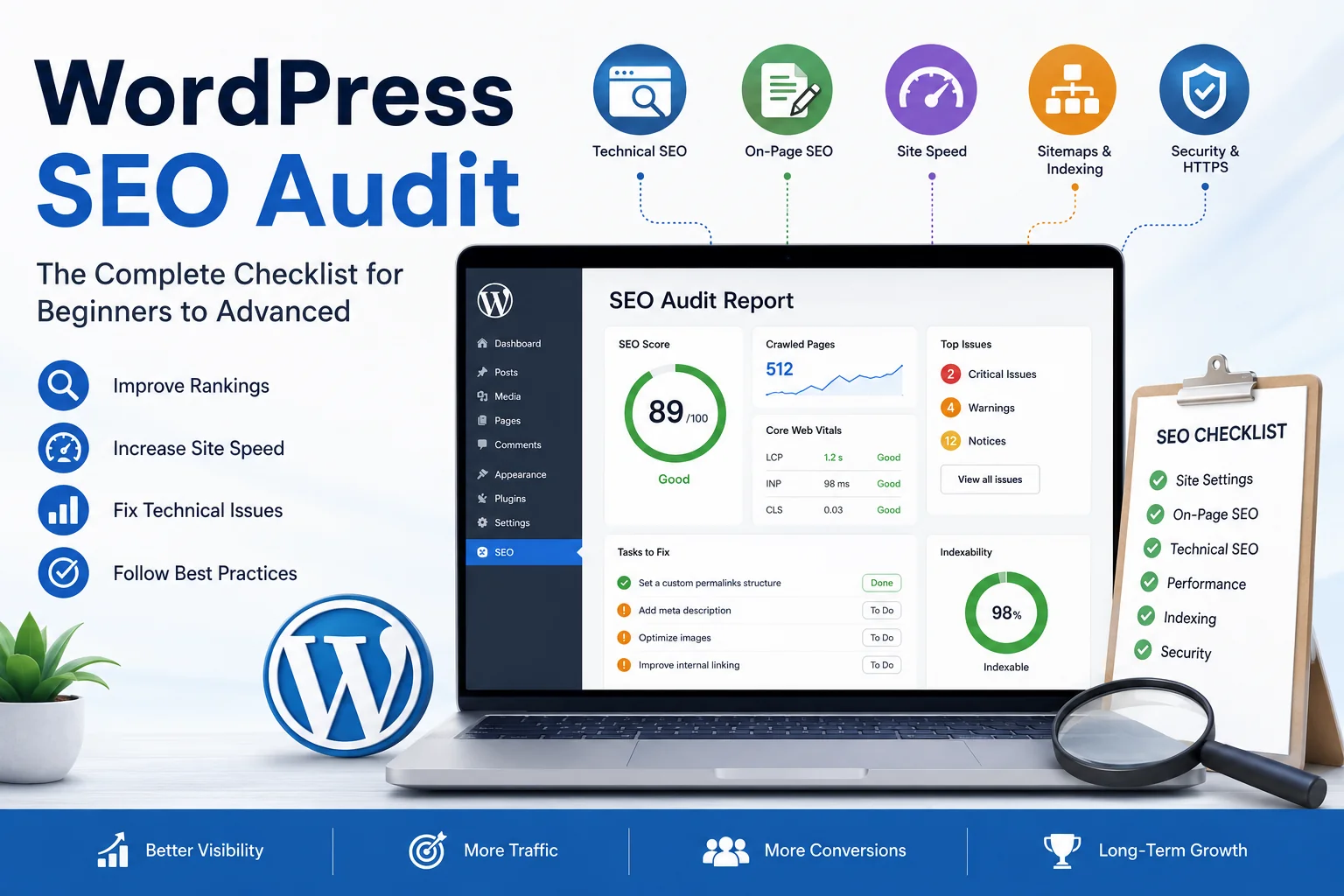
WordPress now runs roughly 4 in 10 websites on the internet - a share so large that no single competitor comes close. But that popularity says nothing about whether your site is optimized. A default WordPress install ships with settings that work for content management, not for search visibility, and every theme or plugin you add can quietly introduce a new SEO issue without ever showing up on the page itself.
A WordPress SEO audit is how you catch that gap between "looks fine" and "is actually indexable, fast, and structured the way Google expects." This guide walks through the full process - from the settings a beginner should check first to the technical diagnostics an experienced site owner runs before a migration or after a traffic drop. Along the way you'll get a working WordPress SEO checklist, explanations of why each check matters (not just what to click), and links to the primary sources - Google Search Central, web.dev - so you can verify anything against the source instead of taking it on faith.
Why WordPress Needs a Different SEO Approach
WordPress is a content management system, not a static HTML site - and that distinction shapes almost every SEO problem you'll find on it. Themes generate markup you never wrote by hand. Plugins inject scripts, stylesheets, and sometimes entire new URL structures without asking permission. Page builders can output several times more HTML than the content actually requires. None of this is inherently wrong; it's the tradeoff for a system flexible enough to run a personal blog and an enterprise storefront on the same codebase. But it does mean that on WordPress, SEO problems usually come from configuration, not from the writing itself.
A few examples that rarely show up on a hand-coded site:
Category and tag archives that duplicate content already published in individual posts
Auto-generated pagination pages competing with the main URL for the same query
Plugins loading render-blocking scripts sitewide, even on pages where they're never used
Two SEO plugins active at once, each generating its own sitemap and meta tags
If you're auditing your first site, start here rather than jumping to advanced fixes. WordPress SEO for beginners means confirming the fundamentals are configured correctly - everything downstream depends on that foundation holding.
How to Prepare Before Starting Your WordPress SEO Audit
Set Up the Right Tools
Before changing a single setting, get visibility into how Google currently sees the site:
Google Search Console - indexing status, live search queries, manual actions, and the site's actual Core Web Vitals field data
Google Analytics 4 - organic traffic trends and which landing pages are gaining or losing visits
An SEO crawler (Screaming Frog or Sitebulb) - simulates how a search engine bot moves through the site and flags broken links, duplicate titles, and redirect chains
PageSpeed Insights - lab and field performance data for individual URLs, broken down by metric
For the official specifications behind these checks, Google Search Central is the primary source - it's maintained directly by Google's Search team and updated whenever guidance changes, which makes it more reliable than any third-party summary, including this one.
Setting up and cross-referencing four separate tools takes time, and it's the main reason many site owners never get past the "I'll do it this weekend" stage. If you'd rather start from a single consolidated report, SEOAudit Tool runs the technical, on-page, and Core Web Vitals checks below in one pass and returns an AI-prioritized fix list by email in about three minutes - useful as a starting point before you dig into any section manually.
Define Your Audit Scope
Not every audit needs to cover the whole site. Three scopes come up most often:
Full-site audit - a complete review, typically run once or twice a year
Single-page audit - used when one page underperforms despite solid content
Post-migration audit - run immediately after a domain change, theme switch, or platform move, to catch broken redirects and lost indexing before they cost rankings
Defining the scope upfront keeps the audit focused and stops you from spending three hours on checks that don't apply to the situation in front of you.
WordPress SEO for Beginners: Essential Checklist
These are the fundamentals every WordPress site needs in place before anything advanced is worth touching.
Basic Site Settings
Permalink structure: Under Settings → Permalinks, use a structure that includes the post name (/%postname%/) instead of the default query-string URLs. Clean URLs are easier for both readers and crawlers to interpret at a glance.
Search engine visibility: Check Settings → Reading and confirm "Discourage search engines from indexing this site" is unchecked. This one box, left ticked after launch, is one of the most common reasons a WordPress site never ranks at all - and it's invisible until you go looking for it.
HTTPS: Confirm the site loads securely with a valid SSL certificate, and that HTTP requests redirect to HTTPS rather than the reverse.
On-Page Fundamentals
Title tags: Unique, descriptive titles under roughly 60 characters (Google typically displays 50–60 characters before truncating in search results). Avoid stuffing the same keyword into every title across the site - it reads as manipulative to both users and algorithms.
Meta descriptions: Not a direct ranking factor, but a clear, specific description shapes click-through rate from the results page - which does correlate with performance over time.
Header hierarchy: One H1 per page, followed by a logical H2/H3 structure. This gives both readers and search engines a scannable outline of the content.
Image alt text: Descriptive alt attributes support accessibility and give search engines context about visual content they can't otherwise interpret.
Content Basics
Place the target keyword naturally in the title, the first paragraph, and at least one subheading - without forcing it into every sentence
Link internally to related posts and pages using descriptive, varied anchor text
Write for readability: short paragraphs, plain language, a structure a reader can skim in ten seconds and still get the gist
That's the beginner-level WordPress SEO checklist covered. Once these items are confirmed, the next step is applying practices that improve how content performs - not just whether it gets indexed.
WordPress SEO Best Practices for 2026
Content Structuring for AI Search and Featured Snippets
Clear, well-structured answers remain valuable not only for featured snippets but also for AI-powered search experiences, which often summarize and cite web content. To improve your content's visibility:
Answer the core question directly under the relevant heading, ideally in a concise paragraph.
Use numbered lists or tables for step-by-step instructions and comparisons.
Add an FAQ section where it genuinely helps users navigate the topic, rather than solely to target search features.
Internal Linking Strategy
A pillar-cluster model - one comprehensive "pillar" page linked to and from several related "cluster" posts - helps search engines map the topical relationships across a site instead of treating every page as an isolated unit. Vary the anchor text naturally rather than reusing the exact same phrase every time you link to a given page.
Image and Media Optimization
Compress images before upload, using WebP or AVIF where the theme supports it
Enable lazy loading for below-the-fold images so they don't compete with visible content for load priority
Use descriptive file names instead of generic ones like IMG_2031.jpg - it costs nothing and helps image search
Avoiding Common Plugin-Related Mistakes
Running more than one SEO plugin at once - Yoast SEO and Rank Math simultaneously, for instance - routinely produces duplicate meta tags, conflicting sitemaps, or canonical tag errors that neither plugin will warn you about. Pick one primary SEO plugin and disable overlapping features in anything else you keep active.
Applying these WordPress SEO best practices consistently, on new and existing content alike, is what separates a site that's technically sound from one that also ranks.
AI Search Visibility Checks (2026)
In addition to traditional search rankings, review how your site appears in AI-powered search experiences such as AI Overviews.
During an SEO audit, check:
queries that trigger AI Overviews in your niche;
whether your pages are cited or mentioned;
which competitors are referenced more frequently;
pages where impressions remain stable but clicks decline, as this may indicate users are getting answers directly in AI search experiences rather than clicking through.
WordPress Technical SEO Audit - Advanced Checks
This is where a WordPress technical SEO audit moves past what's visible on the page into how the site is actually built and served.
Crawlability and Indexing
Review robots.txt to confirm you're not accidentally blocking important sections — a single misplaced Disallow rule can deindex an entire directory
Validate the XML sitemap (usually auto-generated by the SEO plugin) and confirm it's submitted in Search Console
Audit noindex tags - staging configurations or plugin defaults sometimes leave these active after launch, silently keeping pages out of search
Site Speed and Core Web Vitals
WordPress performance problems typically trace back to hosting, unoptimized caching, or plugin bloat rather than the content itself. Three metrics matter most:
LCP (Largest Contentful Paint) - how quickly the main content renders
INP (Interaction to Next Paint) - how responsive the page feels once a user interacts with it
CLS (Cumulative Layout Shift) - how much visible content shifts position while the page is still loading
For current thresholds and exact measurement methodology, web.dev's Core Web Vitals documentation is maintained directly by Google's web performance team and updated as the metrics evolve - worth bookmarking rather than relying on secondhand summaries of the numbers.
Duplicate Content Issues
Category and tag archives often duplicate content already covered in individual posts — consider noindexing thin archive pages rather than leaving them to compete with the source content
Paginated comment or archive pages can create near-duplicate URLs that dilute crawl budget
If separate print or AMP versions exist, confirm their canonical tags point back to the primary URL
Structured Data (Schema Markup)
Adding structured data such as Article, Breadcrumb, and, where appropriate, FAQPage markup helps search engines better understand your content. Although FAQPage no longer produces FAQ rich results in Google Search, it remains a valid Schema.org type. Validate supported structured data (such as Article and Breadcrumb) with Google's Rich Results Test and ensure all structured data matches the visible page content.
Mobile Usability and Responsive Checks
Because Google indexes primarily from the mobile version of a page, confirm the theme renders correctly on mobile devices, tap targets are sized appropriately, and no content is hidden, clipped, or reflowed awkwardly on smaller screens.
Redirect Chains and Broken Links
After theme changes, plugin updates, or migrations, redirect chains (URL A → URL B → URL C) tend to accumulate quietly. Each additional hop adds latency and dilutes the link equity passed through the chain. Run the crawler tool to identify chains and update every redirect to point directly at the final destination - not the next link in line.
Common WordPress SEO Mistakes to Avoid
Thin content: Pages with little unique value rarely rank regardless of technical polish. Fix: consolidate or expand thin pages into one comprehensive resource instead of several weak ones.
Orphaned pages: Pages with no internal links pointing to them are harder for crawlers to discover and rarely accumulate authority. Fix: add contextual internal links from relevant existing content.
Ignoring hreflang on multilingual sites: Without correct hreflang tags, search engines can show visitors the wrong language version. Fix: implement hreflang through the SEO plugin or directly in the site header.
Over-optimized anchor text: Repeating the exact same keyword phrase in every internal link reads as manipulative to search algorithms, not just to human readers. Fix: vary anchor text naturally while keeping it descriptive.
Free WordPress SEO Audit Checklist (Quick Reference)
Category | Check | Priority |
Indexing | Site visible to search engines (Settings → Reading) | High |
Indexing | XML sitemap submitted in Search Console | High |
Technical | HTTPS active and enforced | High |
Technical | Core Web Vitals within recommended thresholds | High |
Technical | No broken redirect chains | Medium |
On-page | Unique title tags and meta descriptions | High |
On-page | Logical header hierarchy (single H1) | Medium |
Content | No thin or duplicate content on key pages | High |
Content | Internal linking between related pages | Medium |
Structured data | Schema markup validated | Medium |
Use this table as a fast pre-audit scan before running a full WordPress SEO audit with a crawler tool.
How Often Should You Run a WordPress SEO Audit?
For most sites, a full audit once or twice a year catches the drift that accumulates from new plugins, theme updates, and content published without SEO review. Smaller, targeted checks should happen more often than that:
After any site migration or domain change
Following a confirmed Google algorithm update that affected traffic
The moment you notice a sudden, unexplained drop in organic traffic or rankings
Frequent audits aren't about chasing every algorithm update as it happens - they're about catching configuration drift before it compounds into a ranking problem that takes months to unwind.
If Your WordPress Site Represents a Local Business
Everything above covers the website itself - but if the site belongs to a local business, on-site SEO is only half the visibility equation. Google's local pack results draw heavily on the business's Google Business Profile: category accuracy, review volume and sentiment, photo activity, and how complete the profile is compared to nearby competitors. A perfectly audited WordPress site can still lose local visibility to a competitor with a stronger GBP listing.
For local businesses, a complete SEO audit should also include a review of the Google Business Profile, since local search visibility depends on both the website and the business listing. SEOAudit Tool includes Google Business Profile checks alongside the site audit, covering profile completeness, review sentiment, and side-by-side competitor comparisons, so you can evaluate both aspects in a single report.
What a Complete WordPress SEO Audit Looks Like
A thorough WordPress SEO audit moves through four stages in order: confirm the basics are configured correctly, apply content and structure best practices, run the technical diagnostics, and repeat on a regular schedule. Skipping straight to advanced fixes without checking the fundamentals first is one of the most common ways audits miss the problem that was in front of them the whole time.
If you'd rather see the results directly than build the audit by hand, SEOAudit Tool runs this exact checklist automatically - technical SEO, on-page analysis, Core Web Vitals, and GBP data in one report, with AI-prioritized fixes ranked by impact rather than a generic list. A single audit starts at $1.61, takes about three minutes, and arrives by email with no registration required - a practical starting point for turning this guide into action, before deciding what to tackle by hand.
FAQ
What is a WordPress SEO audit?
A structured review of a WordPress site's technical setup, on-page elements, and content, aimed at identifying what's limiting search visibility and prioritizing which fixes matter most.
How long does a WordPress SEO audit take?
A basic audit using the beginner checklist above can take a few hours. A full technical audit on a larger site - including crawl analysis and Core Web Vitals review - typically takes one to several days depending on site size and how much history needs untangling.
Can I do a WordPress SEO audit without plugins?
Yes. The core checks - indexing settings, title tags, header structure, Core Web Vitals - can be reviewed manually or with free tools like Google Search Console and PageSpeed Insights. Plugins mainly make ongoing management more convenient, not more possible.
What's the difference between technical SEO and on-page SEO in WordPress?
Technical SEO covers how the site is built and served: crawlability, indexing, site speed, structured data. On-page SEO covers the content itself: titles, headers, keyword placement, internal linking. A site needs both working together to rank consistently - strong content on a slow, unindexed site won't rank, and a fast, well-structured site with thin content won't either.
Is Yoast SEO enough for a full audit?
Yoast SEO, or a comparable plugin, handles day-to-day on-page optimization and generates a sitemap, but it isn't a substitute for a full technical audit. Crawl-based issues, Core Web Vitals problems, and duplicate content across archive pages typically require a dedicated crawler and manual review to catch.