Here's a problem most site owners recognize: you know something is wrong with your SEO, but you don't know where to start. The site isn't ranking where it should. Traffic dropped after a plugin update. A competitor appeared above you for a keyword you owned for two years. Something changed - you just don't know what.
The traditional response is to run a manual audit: crawl the site, pull a PageSpeed report, check the GBP profile, compare rankings. Done carefully, this takes the better part of a day. Done quickly, it misses things. Either way, you still end up with a list of issues and no clear answer to the most important question: which one do I fix first?
AI changes that calculus. Not by replacing the analyst's judgment, but by handling the data collection and initial triage in minutes - then surfacing what actually matters, ranked by likely impact.
This article explains what an AI website audit does differently, what it actually analyzes, how to work with the output, and when it makes sense to use one versus other approaches.
What an AI SEO Audit Actually Does (vs. a Traditional One)
A traditional SEO audit follows a predictable pattern: crawl the site, export data to a spreadsheet, work through a checklist, write up recommendations. Done well, this takes several hours. Done at scale - across multiple clients or a portfolio of sites - it becomes unsustainable.
The deeper issue isn't speed. It's consistency. Two experienced analysts running the same audit often prioritize differently based on their background. One flags the missing alt tags. The other focuses on crawl depth issues. A third goes straight for the Core Web Vitals. None of them is wrong - but the outputs diverge, and the client still doesn't know where to begin.
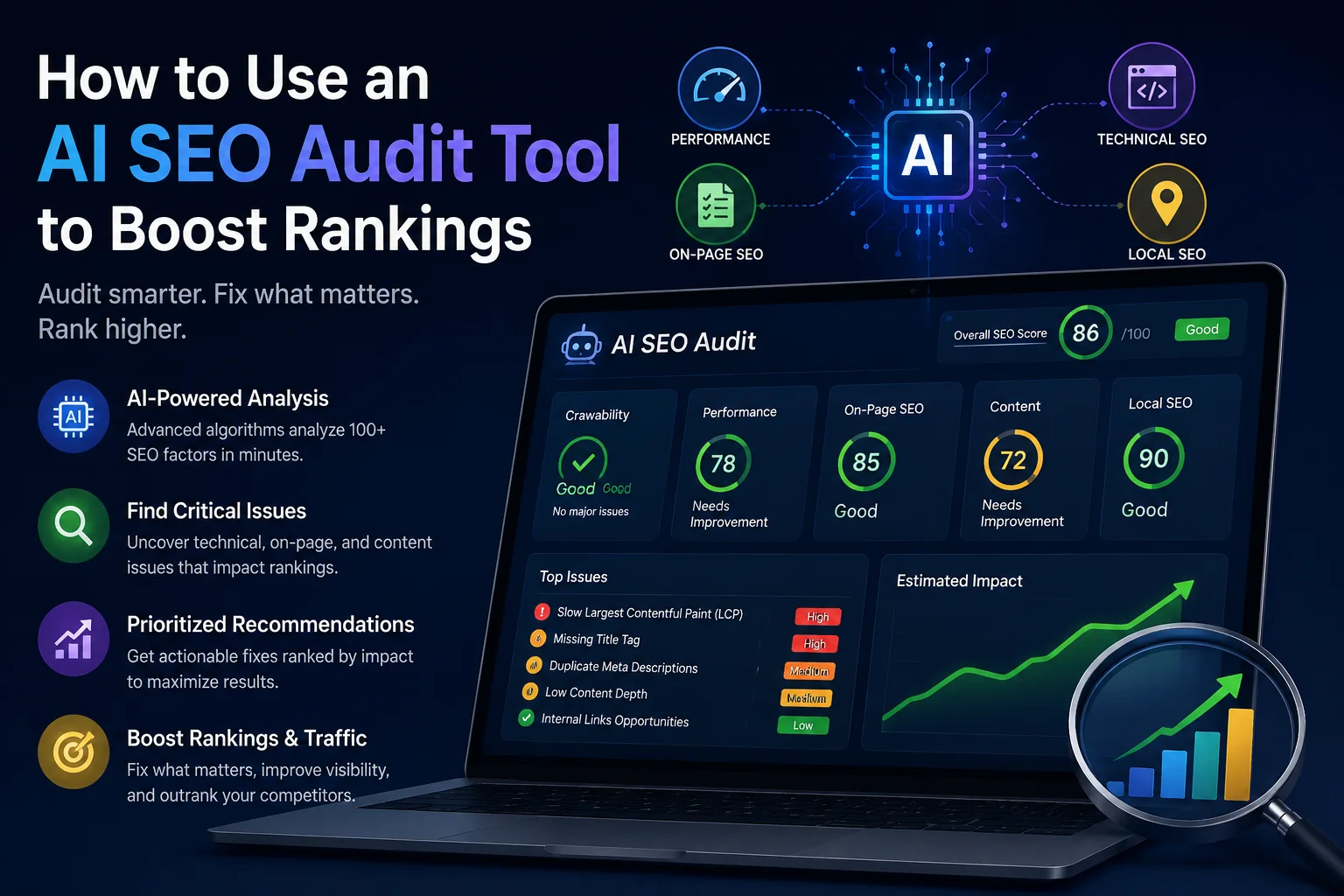
An AI SEO audit works differently. It ingests technical signals, on-page data, performance metrics, and organic visibility data simultaneously - then produces recommendations ordered by likely ranking impact, not by how easily they fit a checklist. The analysis isn't sequential. It's parallel.
In a single pass, a complete audit covers:
PageSpeed & Core Web Vitals - LCP, FCP, CLS, TBT, and TTI across both desktop and mobile
Technical SEO - HTTPS configuration, crawlability, mobile usability, structured data implementation
On-page signals - title tags, meta descriptions, heading hierarchy, canonical tags, internal linking structure
Organic visibility - keyword rankings, estimated traffic, and position distribution
Google Business Profile - for any business with a local presence
The practical distinction: AI doesn't replace judgment. It removes the bottleneck that precedes judgment - the hours of data collection and sorting that have to happen before anyone can start thinking strategically.
How AI Prioritizes Issues - and Why That's the Whole Point
Not all SEO problems carry equal weight. A missing alt attribute on a decorative image that isn't indexed is a different category of problem from a broken canonical on your most-linked landing page. Standard audit tools often treat these as equivalent severity, leaving you to sort out which actually matters.
That sorting step is where most audits quietly fail. You end up with 200 flagged issues, no context for which affects rankings, and limited time to act on any of them.
AI-powered SEO strategies work from a different starting point. Instead of a flat list ordered by issue type or crawl order, the output is ranked by expected ranking impact - based on how the signals on your specific site compare to patterns associated with performance problems. You get conclusions before you start reading, not after you've spent an hour interpreting a spreadsheet.
Consider a concrete example: your mobile LCP is 9.9 seconds, your top landing page is missing a title tag, and there's a crawl error on the page that drives 60% of your organic traffic. You have two hours. A prioritized report tells you the crawl error goes first. A standard checklist puts all three at equal urgency.
That difference compounds over time. Fixing the right things in the right order produces measurable ranking improvement. Fixing the easy things first - because they're easy - produces tidy reports and flat traffic curves.
What a Complete AI Website Audit Report Should Include
The word "complete" gets stretched thin in SEO tooling marketing. Here's what it should mean in practice - and why each section of a well-structured report earns its place.
Technical SEO: PageSpeed & Core Web Vitals
PageSpeed scores and Core Web Vitals data are the foundation of any technical analysis. Without them, you're interpreting symptoms without knowing the underlying condition. A ranking drop could be a content problem, an indexing problem, or a performance problem - and the fix for each is different.
Google confirmed Core Web Vitals as a ranking signal in 2021, with LCP, CLS, and INP (which replaced FID in 2024) as the three metrics that matter most. An audit that doesn't measure these in field conditions - not just lab scores - is missing the data Google actually uses.
On-Page Analysis
Title tags still directly influence click-through rates in search results. A Moz study found that titles closely matching search intent outperform generic or keyword-stuffed alternatives regardless of position. Meta descriptions don't affect rankings directly, but they affect CTR - which affects the traffic you actually receive from any given ranking.
Heading structure and canonical configuration are where on-page issues most often appear after CMS updates, theme changes, or template modifications. These are easy to break accidentally and easy to miss without a systematic check.
Google Business Profile Audit
For local businesses, GBP visibility often has more practical impact than organic rankings. The local pack - the map results that appear above the 10 blue links for location-intent queries - operates on different signals than standard organic search, and profile completeness is one of them.
Google's own guidance identifies complete and accurate business information as a core factor in local ranking. An audit that skips GBP analysis is an incomplete audit for any business that relies on local customers.
Organic Visibility
Ranking data and traffic estimates provide the context that makes everything else interpretable. A page with clean technical health and zero keyword rankings has a fundamentally different problem from a page with strong rankings and a 6-second LCP. Seeing performance data and keyword data together is what allows you to diagnose correctly rather than treat both the same.
Ad Forecast & Budget Planner
Useful for any business weighing organic versus paid investment, or managing both simultaneously. CPC data and budget estimates make it possible to evaluate whether a particular keyword is worth the time required to rank organically, or whether a targeted campaign would deliver faster returns.
AI Recommendations
The section that ties everything together. Specific fixes, ranked by expected impact, based on the actual data from the site being audited - not generic advice that applies to every site equally. This is the functional difference between an AI audit tool and a standard crawler export.
SEOAudit Tool covers all 6 of these sections in one DOCX report, delivered to your inbox in approximately 3 minutes for $1.61, with no registration required.
How to Turn the Output Into Actual Ranking Improvements
Most audit articles describe what gets analyzed and stop there. The harder, more useful question is what to do with the output once you have it - because a report that doesn't change behavior doesn't change rankings.
Step 1: Start with the priority order, not the section order
Every audit report has a natural reading order - introduction, then sections. That's not the same as the working order. Start with whatever the AI flags as having the highest impact, even if it's in the middle of the report and technically complex. A 3-hour fix on a high-traffic crawl issue outperforms a 20-minute fix on a low-traffic formatting problem.
Step 2: Split technical and content fixes into parallel tracks
Technical issues - Core Web Vitals, crawlability, structured data - show up faster in Google Search Console than content changes. You can often verify a technical fix within days. On-page and content changes take longer to register in rankings. Running both tracks in parallel keeps momentum without creating false expectations about timeline.
Step 3: Fix one category at a time, then re-audit
Fixing ten things at once and then waiting to see if traffic improves tells you almost nothing. You won't know which change produced the result - or caused an unintended regression. Batch fixes by category: all Core Web Vitals improvements first, then on-page fixes, then content adjustments. Re-audit after each batch. This is how you build a causal understanding of your own site.
Step 4: Measure field data, not lab scores
PageSpeed lab scores - including those from Lighthouse and PageSpeed Insights - update immediately after a change. Google's CrUX field data, which reflects real user experience and is what Google's ranking systems use, takes 28–35 days to fully incorporate improvements. Do not evaluate the impact of Core Web Vitals changes until at least four weeks have passed. Lab scores are useful for confirming a fix was applied. Field data is what tells you whether it worked.
Step 5: Build re-auditing into your workflow, not as a reaction
New plugins, CMS updates, added third-party scripts, or a redesigned template can undo Core Web Vitals improvements overnight. The most common pattern is: improve LCP significantly, add a new analytics script three weeks later, watch LCP creep back up without noticing until rankings shift. Regular re-auditing - monthly at minimum, immediately after significant site changes - catches regressions before they compound.
Who Actually Benefits From an AI SEO Audit Tool
An AI SEO audit is a diagnostic instrument. Precise about what it does, and equally limited about what it doesn't do. Knowing where it fits is as useful as knowing how to use it.
Freelancers and agencies managing multiple sites. Running a manual technical audit per client - PageSpeed, crawl review, GBP check, keyword snapshot - doesn't scale. Per-audit pricing and a 3-minute delivery time change what's operationally feasible.
Small business owners without an in-house SEO team. The output needs to be readable and actionable without requiring you to learn a new platform. A structured report in plain language, with specific fixes rather than raw data, covers that gap.
Teams preparing for or recovering from a site migration. Migrations are the most common source of undetected technical regressions. Canonical errors, redirect chains, and dropped structured data often don't show up in traffic until weeks after launch. An audit immediately before and after migration captures the delta while there's still time to act.
Anyone who noticed a traffic drop and doesn't know why. A single isolated change is easy to diagnose manually. A combination of factors - a slow LCP on mobile, a canonical pointing to the wrong URL, a GBP profile with incomplete hours - isn't. A full audit surfaces the combination that manual checking misses.
One boundary worth stating clearly: an AI SEO audit identifies what's technically wrong or suboptimal. It doesn't build content strategy, assess topical authority, evaluate backlink profiles in depth, or make decisions about which keywords to target. Those remain judgment calls that require context the tool doesn't have. The audit tells you whether the foundation is sound. What you build on it is a separate question.
SEOAudit Tool: What the Report Actually Includes
SEOAudit Tool is built on a simple premise: a thorough technical and on-page analysis shouldn't require a monthly subscription, a learning curve, or a minimum contract.
The report covers 6 sections: Technical SEO, On-Page analysis, Google Business Profile, Organic Visibility, Ad Forecast, and AI Recommendations - delivered as a DOCX file to your inbox in about 3 minutes.
Available in six languages: English, German, Polish, Czech, Slovak, and Russian. No account required. The process is: enter your URL, your email address, and optionally your GBP link - pay, receive the report.
Pricing is per audit, not per month:
Single audit: $1.61
Pack of 25: $32.20 ($1.29 per audit, with dashboard access and credits that don't expire)
Payments processed through Stripe
The comparison is worth making: most established SEO platforms charge between $100 and $500 per month for audit functionality that the majority of users need a few times per quarter, not continuously. Per-audit pricing means you pay for what you use. If you run four audits in a month, you pay for four audits. If you run none, you pay nothing.
The bottleneck in most SEO workflows isn't access to data. Google Search Console, PageSpeed Insights, and a crawl tool between them produce more data than most teams can act on. The bottleneck is interpretation - knowing what the data means, which issues are connected, and what to fix first.
That's the gap an AI SEO audit addresses. It doesn't make the decisions for you. It removes the hours of manual aggregation that have to happen before you can start making decisions - and it orders the output so you can act immediately rather than spending another hour deciding where to begin.
Run one audit on a site you know well. Compare what it surfaces to what you already had on your radar. That's the most direct way to evaluate whether the output is useful - and at $1.61 with no registration, the friction involved in testing it is about as low as it gets. Run your first AI SEO audit.
FAQ
What does an AI SEO audit actually do?
It analyzes your site's technical health, on-page signals, Core Web Vitals, keyword rankings, and Google Business Profile in one pass - then ranks the findings by likely ranking impact. You get a prioritized list of specific fixes, not raw data you have to interpret yourself.
How is AI analysis different from a standard crawler?
A crawler like Screaming Frog exports data. An AI audit interprets it. It connects signals across categories - performance, on-page, visibility - and tells you which combination of issues is most likely affecting your rankings and what to fix first. That's the functional difference between a dataset and a diagnosis.
Can AI recommendations be trusted for real decisions?
For technical and on-page signals, yes. The recommendations are based on live data from your actual pages - not generic benchmarks. Where human judgment is still needed is in prioritizing fixes against your available time and business goals. The AI handles the analysis; you handle the strategy.
Does AI understand local SEO signals?
Yes. The GBP audit section analyzes profile completeness, review sentiment, missing fields, and competitor comparison - signals that directly influence local pack visibility. For local businesses, this section is often where the most immediately actionable findings appear.
How often should I re-run the audit?
After every significant site change - new theme, plugin install, content migration - and any time you notice an unexplained traffic drop. For active sites, monthly is a reasonable baseline. AI makes re-auditing fast enough to treat it as routine maintenance rather than a project.
What if the technical fixes are hard to understand?
Each recommendation in the report includes what's wrong and what to do about it - in plain language. If you're working with a developer, the DOCX format makes handoff straightforward. It's a document, not a dashboard that requires shared access.