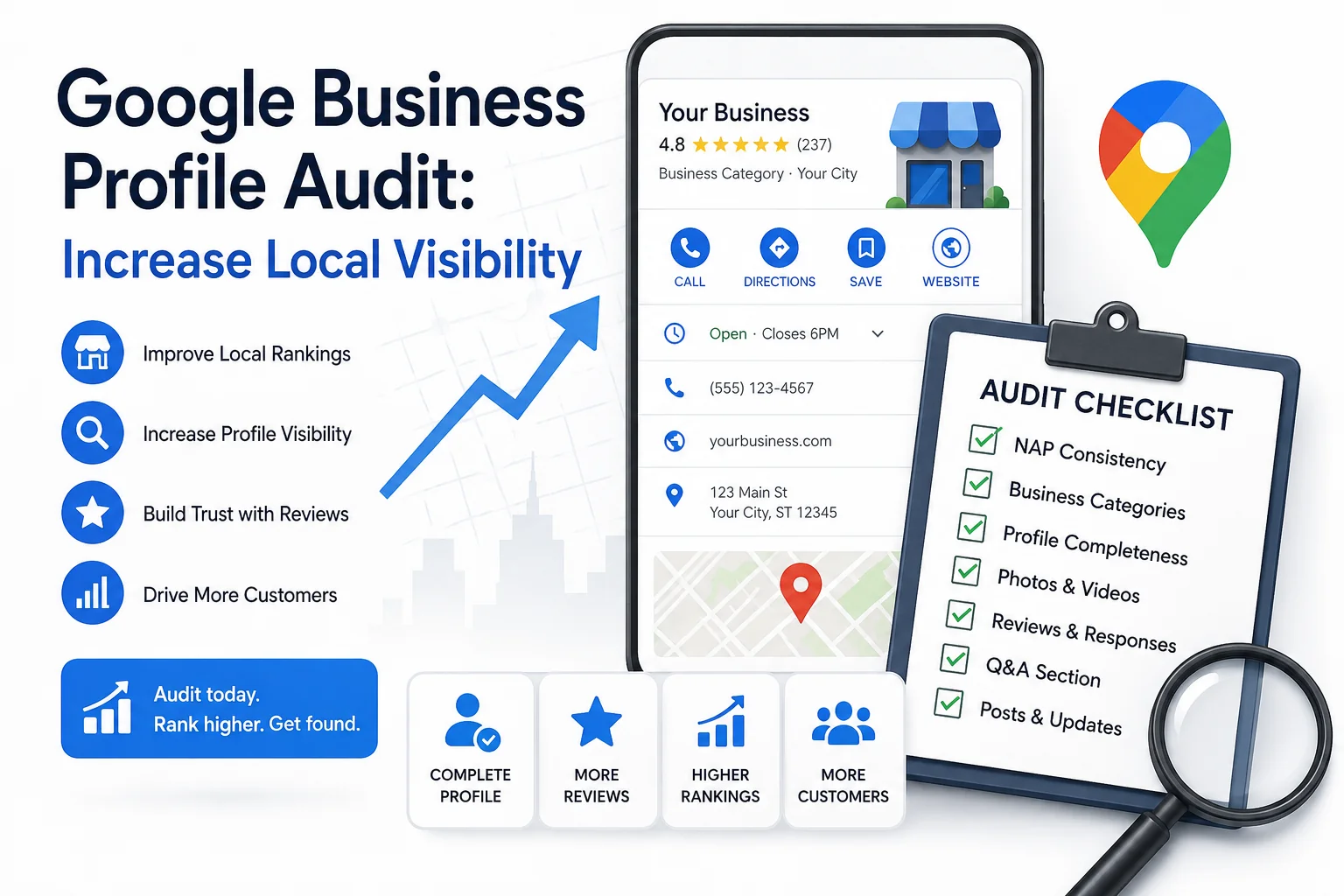
You can have a technically solid website and still lose local customers to a competitor whose site is worse than yours. The reason is almost always the Google Business Profile - not the website.
An incomplete business description, a mismatched phone number, a category that's one level too broad, or a batch of unanswered reviews can quietly push a profile down in local results. Google doesn't send a warning. The profile just stops showing up where it should.
This guide covers how to run a structured local SEO audit on your GBP: what to check, what actually affects rankings, and how to prioritize fixes once you know what's broken.
Why a GBP Audit Is Part of Any Serious Local SEO Audit
Google's local ranking algorithm evaluates three core factors: relevance, distance, and prominence. Distance is fixed - you can't change where your business is located. Relevance and prominence, however, are directly shaped by the quality of your Google Business Profile.
According to Google's official documentation on how local results are ranked, businesses with accurate, complete, and active profiles are more likely to match relevant local searches. Prominence - how well-known and trusted a business appears - is influenced by reviews, citations, and the overall completeness of the profile across the web.
This is why a local SEO audit that doesn't include a GBP review is fundamentally incomplete. For most local businesses, the profile is the first touchpoint a potential customer sees - before they ever visit the website. It is also one of the few ranking levers you have direct control over.
What a Google Business Profile Audit Actually Covers
A proper GBP analysis isn't just checking whether the profile is claimed and has a phone number. It means evaluating every data field and engagement signal that Google uses to assess the profile's quality and relevance.
There are six areas that matter:
Audit Area | What to Evaluate |
Profile completeness | Business name, address, phone, website URL, hours, description, attributes, services |
Business categories | Accuracy of primary category; relevance of secondary categories |
Photos and media | Total count, recency of uploads, image quality and diversity |
Reviews | Overall rating, review volume, recency pattern, response rate, sentiment |
Q&A section | Unanswered questions, outdated answers, competitor interference |
Posts and updates | Posting frequency, CTA presence, content specificity |
A profile that is well-maintained across all six areas is measurably more competitive than one with only the basics filled in. The gap shows up directly in local pack rankings and map visibility.
Step-by-Step: How to Audit Your Google Business Profile
This is a repeatable process you can run quarterly - or any time there's a significant change to your business.
Step 1 - Verify NAP Consistency
NAP (Name, Address, Phone number) must be identical everywhere your business appears online: your GBP, your website's contact page, Yelp, Apple Maps, Bing Places, Facebook, and any industry-specific directories.
Small discrepancies matter more than most people expect. "Suite 4" vs. "Ste. 4," an old phone number still lives on a directory, a slightly different spelling of the business name - these create conflicting signals that complicate Google's ability to confidently surface your profile for local searches.
Whitespark's Local Search Ranking Factors study, which surveys leading local SEO practitioners annually, consistently ranks NAP consistency among the most impactful citation signals for local pack rankings. Start here before touching anything else.
What to check: Your GBP dashboard, your website (contact page, footer, schema markup), and the top five to ten directories where your business is listed.
Step 2 - Check Business Category Accuracy
The primary business category is one of the strongest individual ranking signals in a Google Business Profile. It directly determines which local queries your profile is eligible to appear for.
The most common mistake: choosing a category that's one level too broad. "Contractor" when you should be "Roofing Contractor." "Restaurant" when you should be "Vietnamese Restaurant." The broader the category, the harder it is for Google to match your profile to specific high-intent queries.
You can add up to nine secondary categories, which extend the profile's reach to related services without weakening the primary signal.
Research method: Search your main service term on Google Maps. Open the top three competing profiles that rank well. Check their primary category. If you see a consistent pattern, that's what Google considers the most relevant category for your service type in your area.
Step 3 - Audit Profile Completeness
Google has confirmed directly in its Business Profile Help Center that complete profiles are more likely to be matched to relevant searches. Every blank field is a missed opportunity to give Google more signal about what your business does and who it serves.
Fields that are most commonly left incomplete:
Business description - Up to 750 characters. This text is indexed by Google and appears on your profile. Write it around what your business actually does, the area you serve, and what makes you the right choice. No keyword stuffing.
Service area - Essential for businesses that don't serve customers at a physical address (plumbers, cleaners, mobile services). Without it, your profile has a much smaller local footprint.
Attributes - These vary by business category and include things like accessibility features, payment methods, parking, and amenities. They appear as filter options in Google Maps. Missing attributes means missing filtered searches.
Products and services - Adding individual services with descriptions creates additional text that Google indexes and uses for relevance matching.
Business opening date - A minor signal, but it contributes to the profile's overall prominence score.
Go through your GBP dashboard field by field. Any blank is an open item in your audit.
Step 4 - Analyze Reviews and Response Rate
Reviews influence local rankings in two distinct ways: as a direct signal in Google's ranking algorithm (volume, rating, recency) and as a behavioral signal (profiles with more and better reviews get more clicks, which feeds back into prominence).
According to BrightLocal's Local Consumer Review Survey, the majority of consumers read reviews before visiting a local business, and most will not consider a business with a rating below 4.0 stars. The operational implications of review management go well beyond SEO.
A healthy review profile looks like this: a rating above 4.0, a steady stream of new reviews over time (not a single burst followed by silence), and a response rate as close to 100% as possible. Responding within 48-72 hours is a realistic target for most businesses.
What to check in the audit:
Are there negative reviews with no response? These are visible to every potential customer and to Google.
Are reviews recent, or did the last one come in eight months ago?
Do any reviews contain spam or fake content that should be flagged?
One point worth noting: reviews that naturally mention specific services or locations add relevance context to the profile. You cannot ask for keyword-specific reviews - that violates Google's guidelines - but you can make the review process easy enough that detailed, genuine feedback is more likely to happen.
Step 5 - Inspect Photos and Posts
Google's own business data shows that profiles with photos receive significantly more direction requests and website clicks than those without. The effect isn't from quantity alone - it's from consistent, ongoing activity.
A useful benchmark: at least one new photo per month. The most impactful photo types are exterior shots (so customers can identify the location), interior shots, product or service images, and photos of staff. Low-quality or irrelevant images add noise without adding value - it's worth auditing the existing photo library for anything that shouldn't be there.
Google Posts are short-form content attached directly to your profile. They appear in local search results and can support click-through intent. Posting once a week with a specific CTA - a service page link, a booking button, an active promotion - keeps the profile signaling activity. Generic announcements ("Happy holidays from our team!") underperform compared to posts tied to a specific service or action.
Step 6 - Check for Duplicate or Suspended Listings
Duplicates split the authority and engagement signals that should be consolidated on a single listing. They can also cause one or both versions to be suppressed in local results.
To find duplicates: search your exact business name on Google Maps, then try common abbreviations and alternate spellings. If more than one listing appears for the same location, the duplicate needs to be reported and merged through Google's support process.
Suspended listings are a more serious problem. A suspended profile does not appear in local search or Google Maps at all. Suspension is typically triggered by:
Adding keywords or location names to the business name field (when they're not part of the actual business name)
Using a virtual office or PO Box address as a physical location
Making rapid, significant changes to the profile in a short period
Violating Google's guidelines for representing your business
Reinstatement requires a formal request to Google and, in many cases, video verification of the physical location. It can take weeks. Prevention is far easier than recovery.
How to Improve Local Search Visibility After the Audit
An audit produces a list of issues. The question is what to fix first. Here is a priority sequence based on ranking impact:
Fix NAP mismatches.
Conflicting contact data undermines every other optimization on this list. Correct the GBP first, then update the website, then work through directories in order of authority.
Correct the primary category.
If it is too broad or inaccurate, this single change can meaningfully shift which queries the profile appears for - sometimes within weeks.
Complete all optional fields.
Business description, service area, attributes, products and services. Each one provides Google with additional matching signals.
Build a consistent review response process.
Responding to every review within 72 hours is the target. Make it a scheduled task, not a reaction.
Add photos on a regular cadence.
A photo a month outperforms 50 photos uploaded in one session. Ongoing activity signals an actively maintained business.
Post to Google Posts weekly.
Keep posts specific. A post about a named service with a direct CTA outperforms a generic company update.
Embed a Google Map on your website's contact page.
This creates an additional location signal connecting your website to your GBP - a recognized citation consistency practice that reinforces the business's address data.
The goal when working to improve local search results is not to do everything at once. It is to systematically remove the friction points that are currently limiting the profile's performance, starting with the highest-impact items.
Common GBP Audit Mistakes That Hold Back Local Rankings
These issues appear regularly in Google Business Profile audits and are consistently underestimated:
Using a primary category that's too broad. "Restaurant" competes with every restaurant in the city. "Thai Restaurant" competes with a much smaller pool for much more specific queries. Specificity almost always wins.
Ignoring the Q&A section. Questions on your profile can be answered by anyone - including competitors, or people with incorrect information. Check the Q&A section regularly and provide accurate answers before someone else does it for you.
Uploading photos in bulk and never returning. A one-time upload of 60 photos followed by no activity for a year does not signal an active, engaged business. Consistent monthly additions perform better.
Not re-verifying after an address change. Google may require re-verification when significant profile changes are made. Skipping this step can lead to the listing being deprioritized or suppressed.
Keyword stuffing the business name. Adding service keywords or city names to the GBP business name field - when they are not part of the legal business name - violates Google's guidelines and carries a real suspension risk. This practice is not worth the short-term gain.
How SEOAudit Tool Runs Your GBP Analysis Automatically
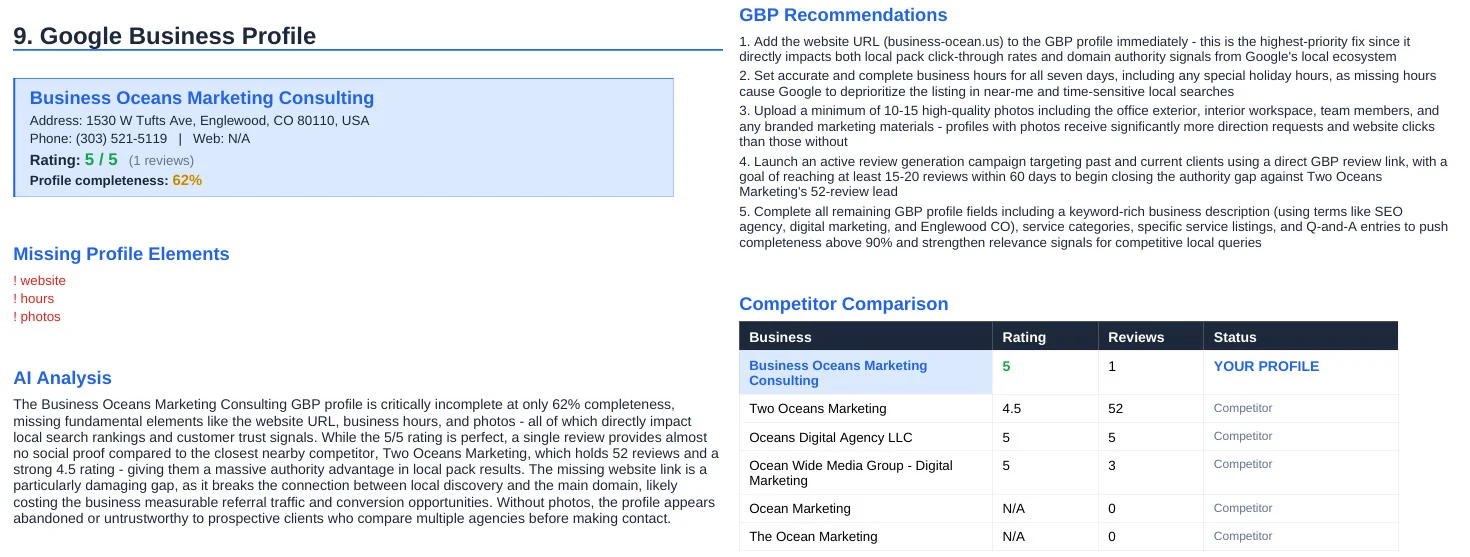
A manual audit using this checklist is effective, but it takes time and requires knowing exactly where to look. SEOAudit Tool automates the process - delivering a full GBP analysis alongside a technical SEO audit in approximately three minutes, with no account registration required.
The GBP section of the report covers profile completeness, review sentiment, competitor comparison, and missing or underoptimized fields. Recommendations are generated by AI and ranked by estimated impact - so instead of a generic list of observations, you get a prioritized fix list specific to that profile.
Reports are delivered as DOCX files to your email and start at $1.61 per audit. A sample report is available on the site before you commit.
A Google Business Profile is not a set-it-and-forget-it asset. The profiles that consistently appear at the top of local results are the ones that have been actively maintained - with accurate data, regular engagement, and a clear signal of business activity.
Running a structured audit is how you find out where your profile stands and what's holding it back. The fixes are almost always straightforward. The cost of not doing it is quietly losing local visibility to competitors who did.
FAQ
How often should I audit my Google Business Profile?
At minimum, once per quarter. After any business change - address, phone number, hours, ownership, primary service - run an audit immediately, not at the next scheduled interval. Changes can introduce new issues and, in some cases, trigger re-verification requirements.
Does GBP completeness directly affect local rankings?
Yes, according to Google's own documentation. Complete profiles provide more data points for Google to match against relevant queries. Profiles with missing or generic fields are harder to classify, which reduces their eligibility to appear for specific local searches.
What is the difference between a local SEO audit and a GBP audit?
A local SEO audit covers the full scope of local search presence: website technical health, on-page optimization, citation consistency, backlink profile, and the GBP. A GBP audit focuses specifically on the Google Business Profile - its data accuracy, completeness, review signals, and engagement activity. For local businesses, both matter, and neither replaces the other.
Can I audit my Google Business Profile without tools?
Yes. The step-by-step process in this article can be followed manually using the GBP dashboard and Google Maps. Automated tools speed up the process and reduce the chance of missing something - particularly issues like duplicate listings or citation inconsistencies that require checking multiple platforms simultaneously.
What is the fastest fix to improve local search visibility?
Correcting the primary business category and completing any blank profile fields typically produce the most visible results in the shortest time. These changes are straightforward to make and have a direct impact on which searches the profile is eligible to appear for.