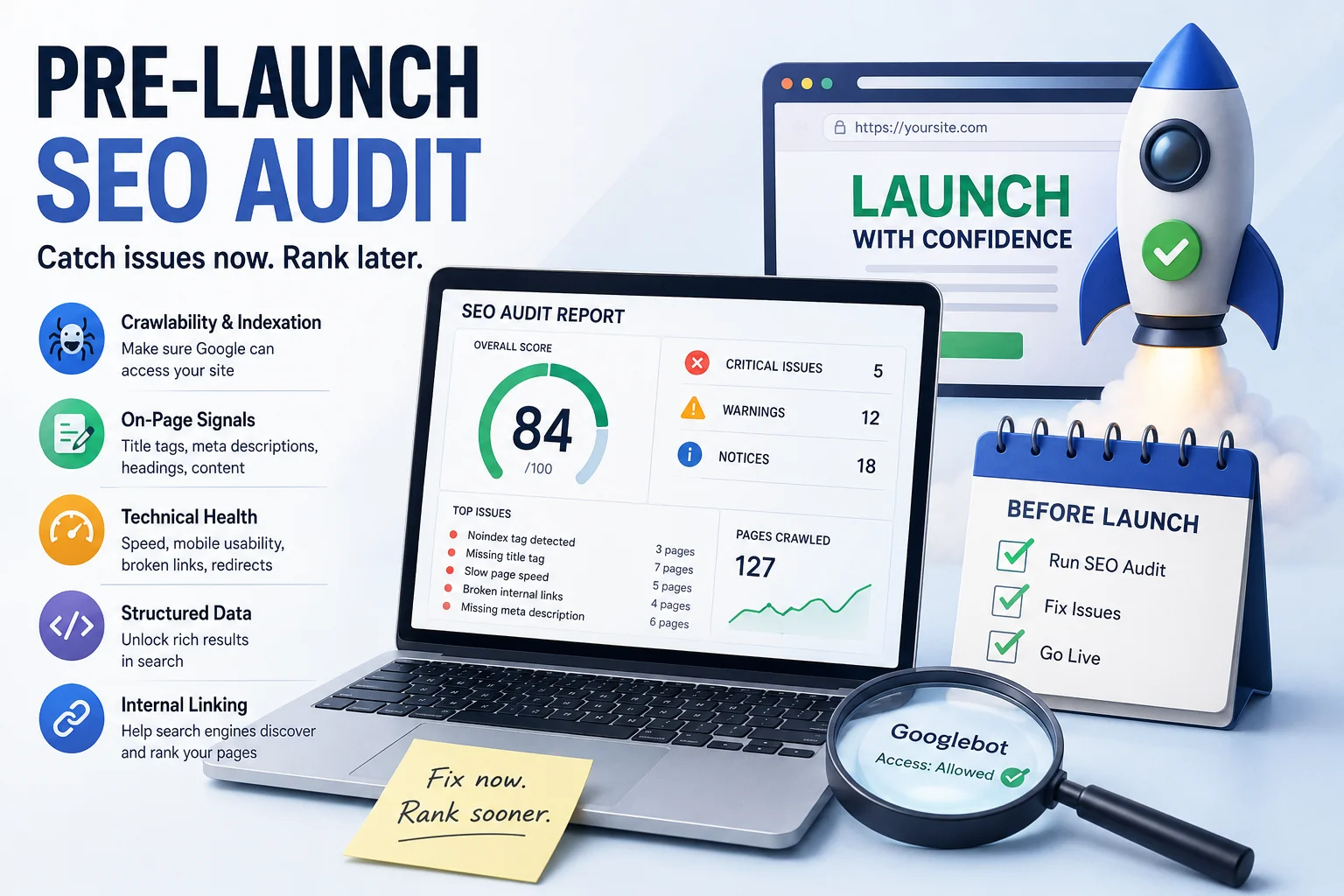
A business spends six weeks building a new website. The design is clean, the copy is sharp, the contact form works. They hit publish - and 90 days later, the site ranks on page four for its own brand name. Not a competitor. Not a broader keyword. Its own name.
This isn't a worst-case scenario. It's a pattern showing up consistently in post-launch SEO reviews, and the cause is almost always the same: technical issues present at launch, crawled and indexed by Google, then taking months to correct.
Most pre-launch checklists are thorough about the wrong things. Design sign-off, browser compatibility, contact form testing - all covered. A structured SEO review - rarely included.
The fix isn't complicated. Running a free SEO audit before launch takes under 10 minutes and surfaces the class of errors that, left unchecked, can set back a site's visibility for an entire quarter. This article covers exactly what those errors are, why they matter, and how to catch them before Google does.
What an SEO Audit Actually Checks (And Why It's Not Just a Checklist)
An SEO audit isn't a pass/fail test. It's a structured diagnostic across several layers of a website - each one affecting how search engines find, read, and rank your content.
Crawlability & indexation is the foundation. If Googlebot can't access your site, nothing else matters. A misconfigured robots.txt file or a noindex tag left over from a staging environment will silently block your entire domain from appearing in search results. According to Google Search Central, crawling and indexing are the prerequisite steps before any ranking can occur - meaning these errors don't just hurt performance, they prevent it entirely.
On-page signals tell Google what each URL is about. Missing title tags, duplicate meta descriptions, broken heading hierarchy, and thin or repeated content all reduce the clarity of those signals. Google may still index the URL - it just won't know where to rank it.
Technical health covers the factors affecting user experience and crawl efficiency: load speed, Core Web Vitals, mobile usability, and broken links. These aren't soft recommendations. Core Web Vitals are a confirmed ranking factor, and broken links waste crawl budget on dead ends.
Structured data - or the absence of it - determines whether your URLs qualify for rich results in search: star ratings, FAQs, product details. Missing schema doesn't tank rankings, but it leaves visibility on the table.
Internal linking controls how PageRank flows through your site. Orphan URLs - those with no internal links pointing to them - are effectively invisible to crawlers regardless of content quality.
A good SEO audit tool surfaces all of these in a single scan, with clear prioritization, so you're not manually working through a 40-point spreadsheet before every launch.
The Best Time to Fix SEO Issues Is Before Google Sees Them
There's a common assumption SEO can be handled after launch - a site can go live, settle in, and then be optimized. In practice, this approach creates more work, not less. Once Googlebot crawls a URL, crawl data is recorded. Fixing issues afterward requires Google to recrawl, reprocess, and re-evaluate - a cycle taking weeks.
The pre-launch window is the one moment when a site's technical state is entirely within your control.
Staging environments leave traces. The most frequent pre-launch SEO failure isn't a complex technical problem - it's a simple one surviving migration. Noindex tags added during development, canonical tags pointing to staging URLs, and robots.txt rules blocking crawlers all have a habit of making it into production unchanged. The site goes live; the blocks stay in place.
First impressions affect crawl behavior. Google's initial crawl of a new domain shapes how frequently it returns. A site presenting clean, accessible, well-structured content from day one earns a higher crawl rate than one launching with errors. Early crawl frequency directly affects how quickly new content gets indexed and how link equity distributes across the site.
Redirect issues compound over time. A redirect chain starting with two hops at launch becomes three hops after a site restructure six months later. The earlier these are caught, the simpler they are to resolve.
The data supports acting before launch rather than after. According to Ahrefs' large-scale study on organic traffic, a significant portion of URLs receiving zero organic traffic have crawlability or indexability problems - not content problems. The content was never the issue. Those URLs simply weren't accessible to search engines.
Running your domain through a free website audit tool before flipping the site live takes less time than a final design review - and catches a fundamentally different class of problem.
What to Expect From Free SEO Audit Software (And What to Look For)
Not all free SEO audit software delivers the same depth of analysis. Some tools return a single score and a vague list of suggestions. Others give you structured, URL-level data you can actually work from. Knowing the difference matters - a confident green checkmark from a shallow tool creates false assurance, not readiness.
Here's what a reliable free audit tool should output:
A crawlability summary showing which URLs are accessible to search engines and which are blocked - by robots.txt, noindex tags, or redirect errors. This needs to be specific to each URL, not a site-wide average.
URL-level on-page analysis covering title tag presence and length, meta description status, H1 usage, and basic content signals. If a tool only reports at the domain level, it's not showing you where the actual problems are.
Technical flags for broken links, redirect chains, slow-loading resources, and mobile usability issues - each with an explanation of the root cause and recommended fix.
A mobile usability check going beyond responsive design: tap target sizing, font legibility, and viewport configuration affecting real usability on phones and tablets.
A professional SEO report exportable and shareable with a developer. A structured document with prioritized findings is significantly more useful than a screenshot when someone else needs to act on the results.
What to avoid: tools assigning scores without explaining methodology, flagging issues without recommending fixes, or providing no URL-level breakdown. A score of 74 out of 100 is not actionable. A list of specific errors with their locations is.
An automated SEO audit tool removes the need to manually verify 30 or more technical variables per URL - which becomes critical when reviewing a site with 50 or 100+ URLs before launch. Manual checks at that scale aren't just slow; they're unreliable.
Running a Pre-Launch Audit With an Automated SEO Tool
Before launch, many teams rely on manual checks or fragmented tools like browser previews, PageSpeed Insights, and Search Console testing. The problem is that these methods only show isolated parts of the picture. They don’t consolidate technical SEO, on-page signals, and indexation risks into a single pre-launch view.
This is where an automated approach becomes useful. For example, tools like SEO Audit Tool (AI-powered) are designed specifically for fast pre-launch checks without setup or configuration. Instead of requiring crawling rules or dashboard navigation, the process is simplified: you enter a URL and receive a structured SEO report that highlights critical issues before the site goes live.
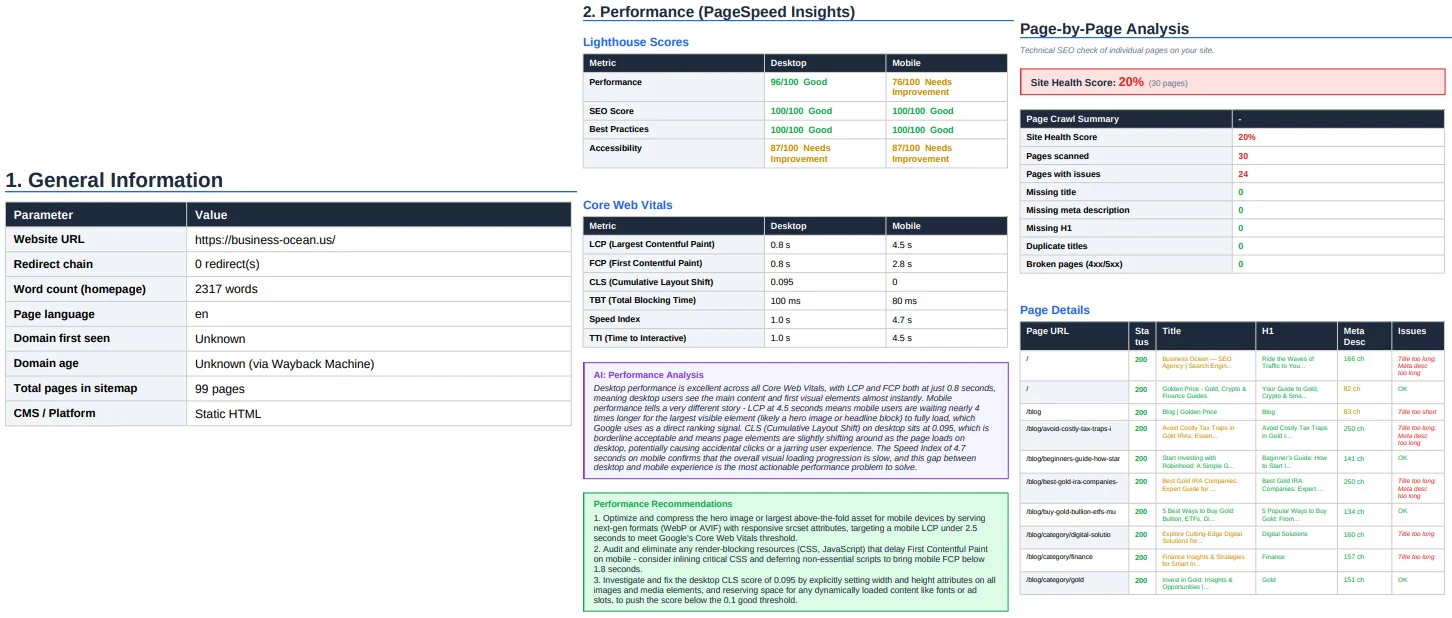
The main advantage of this type of tool is not depth, but speed and clarity. It quickly identifies the most common pre-launch risks such as noindex tags left on staging pages, missing meta data, slow-loading assets, broken internal links, and mobile usability issues. These are grouped and prioritized so teams can focus on fixes that actually affect indexation and early rankings.
Another useful aspect is that the output is not just a list of errors but a structured report that can be shared directly with developers or stakeholders. This makes it easier to integrate SEO checks into a launch workflow, especially when timelines are tight and multiple people are involved in deployment.
While it does not replace full-scale platforms like Semrush or Ahrefs, an automated audit tool works well as a final validation layer before publishing. It helps ensure that the site Google sees on day one is clean, indexable, and technically sound.
5 SEO Issues Audit Tools Catch That Manual Reviews Miss
Manual pre-launch reviews catch layout breaks and typos. They rarely catch the technical layer underneath - the one Google actually reads. These five issues appear consistently in pre-launch audits, are easy to miss without a tool, and each carries a direct ranking consequence.
Staging noindex tags left enabled
This is the most common and most damaging pre-launch oversight. During development, sites are routinely configured to block search engine indexing - a sensible precaution becoming a critical error if it survives to launch. A single <meta name="robots" content="noindex"> tag or a Disallow: / rule in robots.txt will exclude the entire site from Google's index. Everything appears to work normally in a browser. The domain simply doesn't exist in search.
Fix: check both the robots.txt file and the meta robots tags on key URL templates before go-live - not just the homepage.
Missing or duplicate title tags and meta descriptions
Title tags are the primary on-page signal for what a URL is about. Meta descriptions influence click-through rate directly. Both are frequently misconfigured on new sites - not because they were forgotten, but because CMS templates often apply a single default value across multiple URL types. The result: ten product listings with identical titles, or a blog archive and individual posts sharing the same meta description.
Fix: audit at the URL level, not just the template level. Each address needs a distinct, descriptive title tag.
Unoptimized images slowing load times
Largest Contentful Paint (LCP) - one of Google's Core Web Vitals - measures how long it takes for the main visible content to render. LCP is a confirmed ranking signal, and uncompressed or oversized images are its most common cause on new sites. A hero image exported at print resolution, served without compression or a modern format like WebP, can push LCP well past the 2.5-second threshold Google considers acceptable.
Fix: compress all images before launch, implement lazy loading for below-fold assets, and serve WebP where supported.
Missing canonical tags on paginated or filtered URLs
E-commerce and blog sites generate URL variants at scale - filtered category views, paginated archives, sorting parameters. Without canonical tags, Google treats these as separate competing documents. PageRank dilutes across near-identical addresses instead of consolidating on the primary one.
Fix: implement canonical tags on all paginated and filtered URLs pointing to the primary version, and verify they're rendering correctly in the source - not just in CMS settings.
Broken internal links from content migration
Rebuilding a site or migrating content from staging almost always produces broken internal links. Addresses change, slugs get updated, and the links pointing to old paths don't follow. Each broken link is a crawl dead-end - Googlebot follows it, finds nothing, and moves on without indexing what should have been there.
Fix: run a full internal link crawl as part of the pre-launch audit. Every 404 returned by an internal link is a fixable problem taking minutes to resolve before launch - and significantly longer after.
How to Run a Pre-Launch SEO Audit: A Practical 3-Step Process
Running a free SEO audit before launch doesn't require technical expertise or a dedicated QA session. The process takes under 10 minutes and produces a clear picture of what needs resolving before Google sees the site for the first time.
Step 1 - Enter the exact URL going live
Don't audit a homepage in isolation. Start with the root domain, then run a separate check on a representative inner URL - a product listing, a service description, or a blog post. These content types often have different templates, different meta configurations, and different technical behaviors. An issue present on inner URLs may not appear on the homepage at all.
If the site is still on a staging address, audit there - but flag any environment-specific configurations (noindex tags, staging canonicals) for removal before migration.
Step 2 - Read the report by priority, not by section
A professional SEO report separates critical errors from warnings and informational notices. Work through critical errors first - issues directly affecting crawlability, indexation, and redirects. These need resolving before launch, not scheduling for later. Warnings can be addressed in the first week post-launch. Notices are worth logging but rarely block performance.
Resist the instinct to fix everything at once. Prioritization is the point.
Step 3 - Re-run the audit after fixes
Once critical issues are resolved, run the audit again. This confirms fixes took effect as intended and surfaces secondary issues sometimes hidden behind the primary errors. A broken redirect chain, for example, can mask duplicate content problems only becoming visible once the redirect is corrected.
A pre-launch SEO audit isn't an additional task to squeeze into the final week before go-live. It's the step making everything else - the design work, the copy, the development hours - actually discoverable by search engines. Without it, a site can be technically functional and completely invisible in search at the same time.
The issues covered in this article aren't rare edge cases. They appear on sites built by experienced developers, established agencies, and in-house teams who know what they're doing. They show up because the pre-launch phase moves fast and SEO checks aren't part of most standard launch workflows. The difference between catching these problems before launch and finding them in Search Console 90 days later isn't expertise - it's whether an audit was run.
That audit doesn't have to be complicated or expensive.
You can run a free SEO audit on your site right now - no login required, results in under a minute.
FAQ
What is a free SEO audit and what does it check? A free SEO audit is an automated analysis of your website that checks for technical issues affecting search engine visibility. It covers crawlability, indexation status, on-page signals (title tags, meta descriptions, headings), page speed, mobile usability, broken links, and redirect errors - all in a single scan.
Do I need to run an SEO audit before launching a new website? Yes. Pre-launch is the best time to catch technical issues because Google hasn't crawled the site yet. Problems found before launch take minutes to fix. The same problems found after launch can take weeks to recover from algorithmically.
What's the difference between a free and a paid SEO audit tool? Free tools cover the core technical checks needed for most sites - crawlability, on-page errors, speed, and mobile usability. Paid tools typically add deeper crawl limits, historical tracking, competitor analysis, and more granular reporting. For pre-launch checks, a free tool is sufficient for the majority of websites.
How long does a free SEO audit take? Most automated tools return results in under a minute for standard sites. Reviewing and prioritizing the report typically takes 5-10 minutes. Fixing critical issues before launch depends on what's found, but common errors - noindex tags, missing title tags, broken links - are usually resolved within an hour.
Can a free SEO audit improve my Google rankings? An audit itself doesn't improve rankings - fixing the issues it identifies does. Crawlability errors, slow load times, and missing on-page signals all have documented negative effects on ranking. Resolving them removes the barriers that prevent Google from indexing and ranking your pages correctly.
What is a professional SEO report and do I need one? A professional SEO report is a structured output from an audit that categorizes issues by severity, explains their impact, and recommends fixes. It's useful when working with a developer or presenting findings to a client. Most reliable audit tools generate one automatically as part of the scan.
How often should I run an SEO audit on my website? Before every major launch or site update is the baseline. For active sites, running an audit monthly catches issues introduced by new content, plugin updates, or CMS changes before they affect rankings. High-traffic or e-commerce sites benefit from more frequent checks.